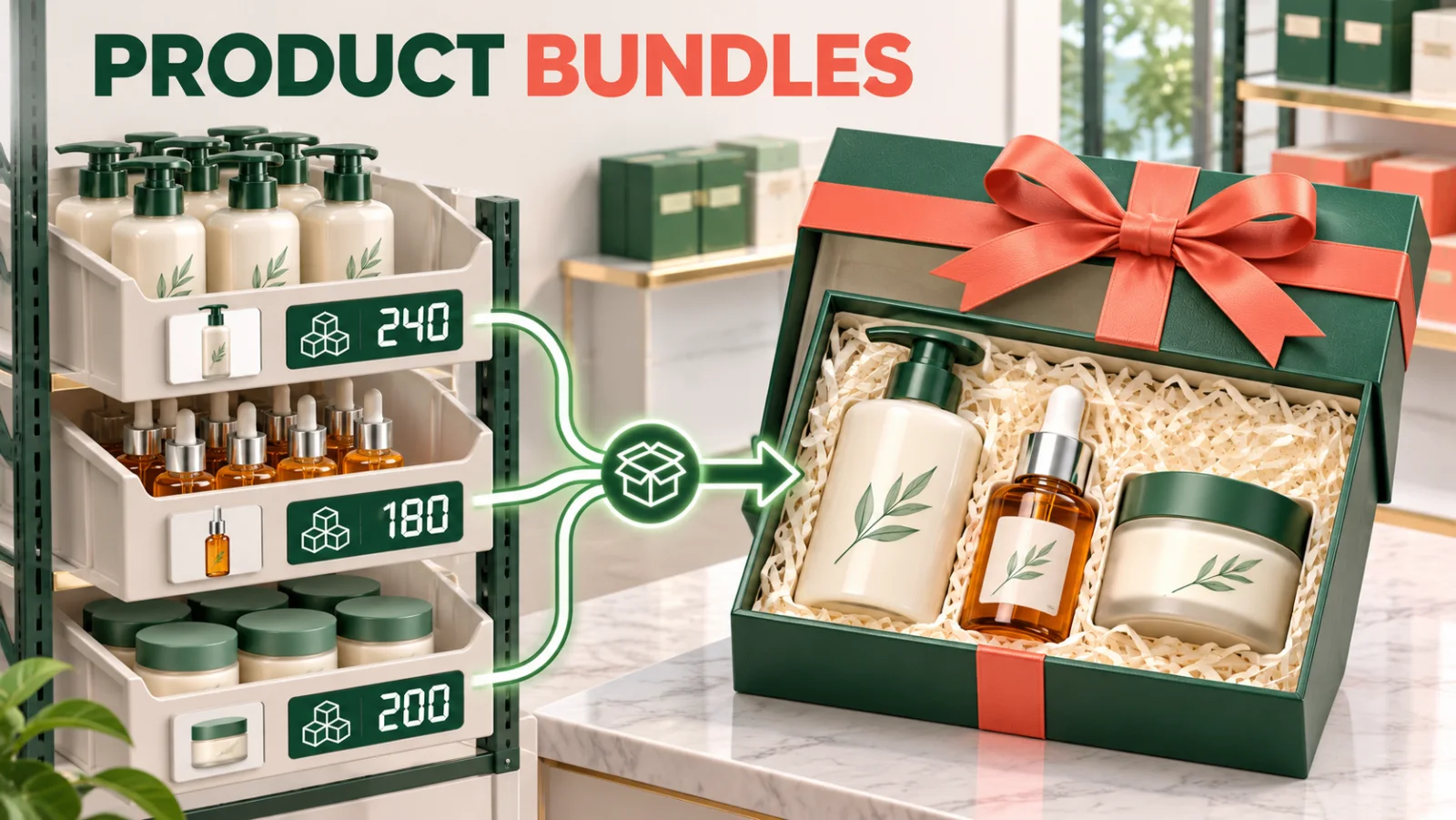
Shopify Bundles are a way to sell multiple items together as a set, linking the sets with the products within them. This is suitable for demo sets, gift sets, or complementary products. Careful consideration should be given to stocking each individual item and setting post-sale rules, as items within the set may also be sold separately.
What type of product combination makes it easier for customers to make a decision?
Start with things customers actually need, such as a complete skincare set or starter coffee-making equipment. Combining leftover stock without a reason can make a set seem unprofitable, even with a significant discount.
Fixed set vs. custom set.
Fixed sets specify clear components, while customizable sets allow customers more freedom to choose colors, sizes, or products. You need to choose the right app for your bundle type, as not all bundle apps support the same combinations.

Calculate the number of sets from the parts.
For example, let's assume a set uses 1 bottle of shampoo and 2 bottles of conditioner. If there are 10 bottles of shampoo and 14 bottles of conditioner, a maximum of 7 sets can be assembled before considering pre-orders and stock allocation. Therefore, sales figures must be based on the individual components, not on assuming there are 10 separate, unconnected product sets.
Send the information to the warehouse for mutual understanding.
The warehouse needs to know whether an item is a set name or an individual product, and the ERP system must interpret prices and discounts correctly. Using set codes instead of component codes without informing the packing team may result in incomplete item pickup.
Set prices considering both the total per bill and the profit.
Before lowering prices, include packaging costs, picking costs for multiple items, and shipping costs that may vary depending on weight. A higher bill amount does not guarantee better profit per order.
- Clearly state the ingredients and quantities on the product page.
- Show the options that customers must select before adding items to their cart.
- Check if the discount is being used in conjunction with other coupons.
- Schedule exchanges or returns for certain items in advance.
An overview of store preparation can be found in... (Read more in...) Checklist before launching an E-commerce website. New businesses can view their services. We develop Shopify websites. To set up the storefront and inventory system simultaneously.
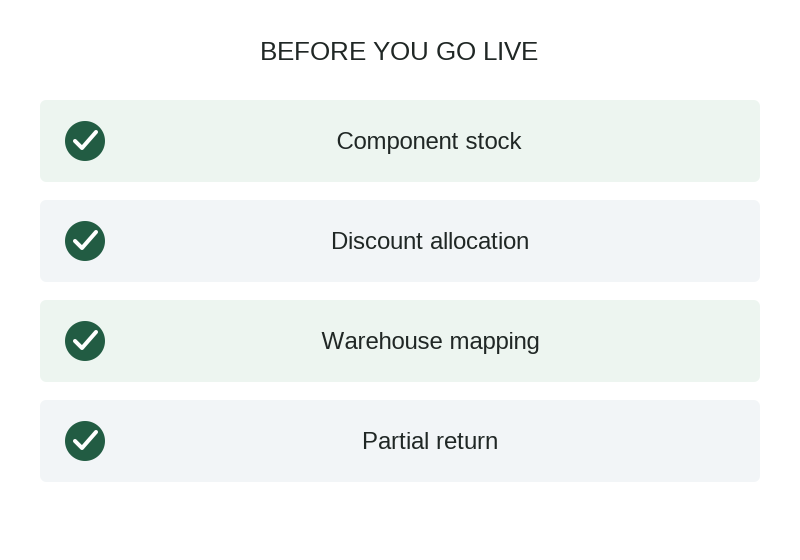
Test the set before releasing the promotion.
Try purchasing both sets and individual items together. Check the item listings in your email, invoice, and shipping system, as the bundle may appear differently depending on the destination.
Simulate the last remaining piece of a crucial item.
Check the number of items sold through both channels.
When components are sold separately, the number of sets available for sale must be adjusted accordingly, and stores must clearly define whether or not they will allow sales exceeding existing stock.
Return only some items from the set.
Check return quantities after allocating discounts and receiving returned items into inventory. Opened products may not be resellable yet, so do not immediately increase available stock simply because a return request has been received.
Frequently Asked Questions
Does Shopify require an app to create bundles?
A compatible app is required for bundling, selected based on set format, sales channel, and legacy system compatibility.
Can I use Bundles to solve all stock issues?
No, you still need to define the SKU, primary data source, and links to other warehouses or channels correctly.
If you're planning a new store, consider the services. We develop Shopify websites. Or read the basics. API for E-Commerce To prepare information for a work discussion.
Read more related articles.
- Shopify Customer Accounts can do more than just check orders.
- What is Shopify Flow? 10 tasks that can be automated in a shop.
References
Information checked on November 3, 2026. Features and package terms and conditions are subject to change.
Create product sets that are easy to sell and package affordably for every order.
Creative Plus One can help you set up Shopify Bundles, design product pages, lay out components and inventory linking, and test discounts and returns. Send us a sample of the bundles you'd like to sell so we can evaluate them for you.