Integrating Shopify with an ERP system involves sending online store data to the company's workflow, such as orders, products, inventory, and accounting documents. Before writing an API, it's crucial to define data ownership and transmission timing. If the two systems modify prices and balances simultaneously without agreement, data conflicts can occur even if the connection doesn't fail.
Define the data owner before selecting a link.
Create a table showing where prices, stock, customer names, and payment statuses originate. For example, an ERP system might own costs and inventory, while Shopify handles the storefront and orders. This agreement needs to go down to the data field level, not just specify which system is larger.
Start with one order document.
From the moment a customer places an order to picking up the goods, issuing documents, and handling returns, you'll encounter questions that simply viewing the API can't answer. For example, is an invoice issued upon order receipt or upon successful payment, and who has the authority to modify the address after the item has been shipped to the warehouse?

Five groups of data that need to be matched correctly.
- Product: SKU, variant, and unit of measurement.
- Customer: Customer code, address, and document issuance information.
- Order: Discounts, shipping costs, taxes, and currency.
- Warehouse: Location, Available Stock, and Reserved Stock
- After-sales service status: Shipping, cancellation, refund, and return.
Products with the same name may come in different sizes, so using the name as the primary identifier should be avoided. For product sets, ensure that the components are clearly understood by the warehouse. Please read the guidelines. Shopify Bundles and Stock Product Sets. Before designing the list submission process.
APIs and webhooks have different functions.
APIs are used to read or modify data, while webhooks help notify users that an event has occurred, such as an order status change. Information from these events may need further analysis before processing. Therefore, actual connections must include logging and a mechanism to repeat the process when the other party is unavailable.
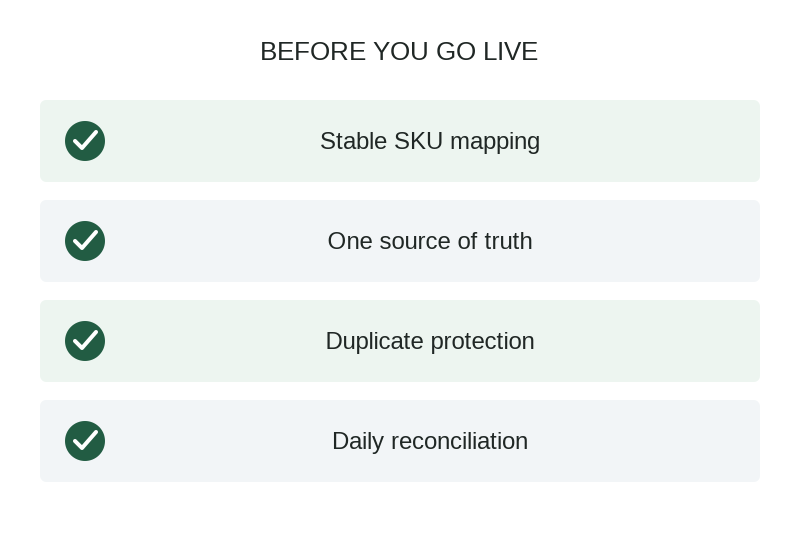
Prevent duplicate document creation.
Define a shared reference code, such as shop ID, with order ID and check if this item has already been processed before creating an order in the ERP. Don't assume that webhooks will always arrive at once or in sequence. This is a basic understanding. API for E-Commerce It makes it easier for non-developer teams to discuss the scope.
Check the figures in both systems before the actual launch.
Start with small product groups and orders, then compare sales, discounts, shipping costs, and refunds on a daily basis. Success isn't just about getting a successful API response; the accounting team must be able to read the transactions and move on to the next step.
Set up a test kit that was created in a real store.
Purchase completed, cancelled, and some items returned.
Check both the total amount and the stock, separating refund status from returned goods because these two events can occur at different times.
The destination was down but is now back online.
Tasks are temporarily suspended in the queue and resubmitted without being created again. A page for checking errors and assigning responsibilities is clearly defined. Data verification cycles are established to identify any missing tasks resulting from these events.
Frequently Asked Questions
Do I need to rewrite the connector in every case?
It's not necessary. If you have an app that supports ERP and has all the necessary business rules, then it's fine, but you need to test the data and the scope of its actual support.
How often should stock be updated?
Depending on the sales speed and collaborative channels, the design should take into account acceptable margin of error and be regularly reviewed for accuracy.
If you're planning a new store, consider the services. We develop Shopify websites. Or read the basics. API for E-Commerce To prepare information for a work discussion.
Read more related articles.
- How to create a wholesale website with Shopify B2B: Which package should you choose?
- What is Shopify Flow? 10 tasks that can be automated in a shop.
References
Information checked on November 3, 2026. Features and package terms and conditions are subject to change.
Connecting Shopify to your company system allows your team to work seamlessly together.
Creative Plus One offers Shopify integration with ERP, accounting, inventory, and enterprise-specific systems. We provide mapping, API, webhooks, and error reporting. Send us your system name and sample data for a scope assessment.