Didn't it feel like you were sitting in a meeting with your web design team and hearing terms like "wireframe," "above the fold," "CTA," and "Core Web Vitals"—like you were in a room where everyone was speaking a foreign language?
Don't worry. Most people starting out with a business website go through that experience. This article compiles essential web design terminology in an easy-to-understand format, without technical jargon — so you can communicate effectively with your team and make more confident decisions.
Why do business owners need to know web design terminology?
Knowing basic terminology doesn't mean you have to be able to code or design things yourself, but it helps with:
- Communicate your needs more clearly — reduce misunderstandings between you and your team.
- Evaluate quotations better — know what you're paying for, and whether it's worth it.
- The feedback was accurate and focused — allowing the recipient to specify exactly what needed fixing, instead of just saying "I don't like it."“
- Choose your team or agency better — listen to see if the people you're talking to actually know what they're talking about.
Section 1 — Design Terminology
UI (User Interface)
UI UI designers create everything that users see and touch on a website — buttons, menus, colors, images, fonts, input fields — everything that forms the "face" of the website. It's the UI designer's job to design it to be visually appealing, beautiful, and effectively communicate the brand.
UX (User Experience)
UX It's about the overall user experience of a website — is it easy to use? Do they find what they need? How do they feel after using it? A UX designer creates a "path" that users walk through, ensuring it's smooth and leads to its objective.
UI = How beautiful is it? | UX = How easy is it to use? — A good website needs both.
Wireframe
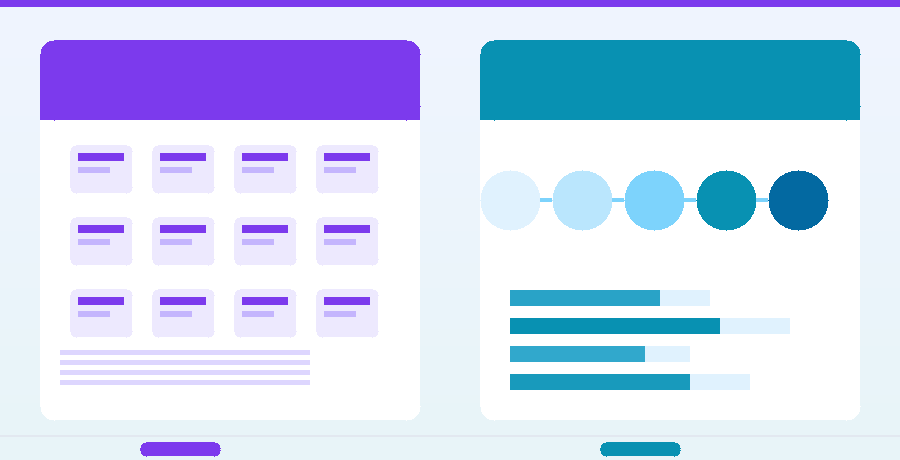
Wireframe It's a rough outline of a webpage, similar to a blueprint before building a house. It contains no colors or actual images, only boxes, lines, and the positions of various elements. It's used to plan the layout and UX before the actual design process begins.
Mockup
Mockup This is a sample image of a completed webpage design. It includes colors, fonts, and real images, but it's just a "still image" and hasn't been coded yet. It's used to get the client's design approval before proceeding to the development phase.
Prototype
Prototype A mockup is a clickable portal, but it's not the actual website. It's used to test the UX (Useful Interface) and ensure a smooth user experience before writing the actual code — saving a lot of time on subsequent fixes.
Typography
Typography It's the art of designing and using typography — choosing the right font, size, and line spacing. Good typographyThis affects aesthetics, readability, and brand perception.
Whitespace (Negative Space)
Whitespace Empty space on a webpage isn't wasted space, but rather space to allow readers to breathe and focus on the important content. Websites cluttered with everything confuse users and cause them to leave quickly.
Responsive Design
Responsive Design Responsive design means designing websites to display beautifully on all screen sizes, including computers, tablets, and mobile phones. In an era where over 60% of people browse the web on mobile devices, responsive design isn't an option—it's the standard.
Above the Fold
Above the Fold Above the Fold refers to the part of a webpage that is immediately visible without having to scroll down. The name comes from the word "fold" in newspaper. Placing CTAs and important information above the fold significantly increases conversion rates.
Color Palette / Brand Color
Color Palette Color palettes are the choices made in design and must align with brand identity. They typically consist of a primary color, a secondary color, and an accent color. Consistent color usage creates brand recognition.
Grid System
Grid System A 12-column grid is a table structure used to arrange various elements on a webpage in an organized manner, resulting in a balanced, readable, and professional design.
Section 2 — Technical Terminology
CMS (Content Management System)
CMS It's a content management system that allows you to add, edit, or delete content on your website without writing any code. It's like a "control panel" for a website. The most popular example is WordPress.
WordPress
WordPress It's the world's most popular CMS, used to build over 431,000 websites across the entire internet. It features a flexible plugin and theme system, excellent SEO and e-commerce support — making it suitable for businesses of all sizes.
Front-end / Back-end
Front-end This refers to the part of the web that users see and interact with directly, including HTML, CSS, and JavaScript. Back-end That's the "backend" part that manages data, servers, and databases — users can't see it, but it's running constantly.
What are HTML/CSS/JavaScript?
- HTML — The structure of a webpage (headings, paragraphs, images, links).
- CSS — Style and aesthetics (color, size, layout, font)
- JavaScript — Interactive capabilities (animation, pop-ups, forms)
Hosting (Web Hosting)
Hosting Hosting is a service that rents space on a server to store your website files, making them accessible to people worldwide 24/7, similar to renting office space. The quality of hosting directly affects the speed and stability of your website.
Domain Name
Domain A domain name, such as creative.co.th, is the name people type into their browsers to access your website. A good domain should be short, memorable, and reflect your business name.
SSL Certificate / HTTPS
SSL SSL is a technology for encrypting data transmission between users and websites. When a website uses SSL, it displays “https://” and a padlock icon in the browser. An SSL certificate is not just about security. But it also directly affects Google Ranking.
Plugin / Extension
Plugin A CMS (Content Management System) is an add-on program installed in a system to enhance its capabilities, such as SEO plugins, membership system plugins, and form plugins — similar to downloadable mobile apps.
API (Application Programming Interface)
API An API (Analog-as-a-App) is a "translator" that allows different systems to communicate with each other, such as connecting a website to a payment system, Google Maps, or a CRM system. It enables a website to integrate with other services without having to rebuild everything from scratch.
Cache
Cache Cache is the process of temporarily storing frequently used information to speed up website loading the next time, instead of retrieving data from the database every time. A good caching system can significantly reduce website loading times.
Section 3 — SEO & Marketing Terminology
SEO (Search Engine Optimization)
SEO SEO is the process of improving a website's ranking on Google without paying for advertising. It's divided into On-page SEO (website content and structure) and Off-page SEO (links from other websites). Having...Websites designed for SEO.It's better to address the problem from the start than to try to fix it later.
Keyword
Keyword Keywords are the words or phrases people type into Google to search for what they need. Choosing the right keywords and incorporating them naturally into your content is the heart of SEO.
Meta Title / Meta Description
Meta Title This refers to the topic displayed on the browser tab and in Google search results. Meta Description This is a short summary displayed below the link in Google; both have a direct impact on the click-through rate.
CTA (Call to Action)
CTA A CTA (Call to Action) is the part that encourages users to do what they're asked to do — "Contact Us," "Buy Now," "View Details" buttons. A good CTA should be clear, easily visible, and state what they will receive after clicking.
CRO (Conversion Rate Optimization)
CRO It's the process of optimizing a website to increase the proportion of visitors who become customers. People often focus only on attracting people to their website, but... CRO focuses on making sure that people who join actually "buy". Which is often more cost-effective than spending more on advertising.
Bounce Rate
Bounce Rate Bounce rate refers to the percentage of visitors who leave a website without clicking to another page. A high bounce rate (over 70%) often indicates that the page does not meet the user's needs.
Heatmap
Heatmap This image shows which parts of the webpage users click, scroll, or look at most often, using a color coding from red (hot = high clicks) to blue (cool = less attention). A heatmap helps us understand what customers are interested in.To optimize the webpage for the right purpose.
Landing Page
Landing Page A webpage is designed for a specific purpose, such as generating leads, promoting a campaign, or selling a single product. It's designed to encourage visitors to perform only one desired action, minimizing distractions.
Core Web Vitals
Core Web Vitals LCP (Loading Speed), INP (Initial Processing Number), and CLS (Layout Stability) are metrics used by Google to measure actual user experience. Google uses these values as part of its ranking system.
Summary of Core Web Vitals you should know:
- LCP (Largest Contentful Paint) — The time it takes for the largest element to finish loading must not exceed 2.5 seconds.
- INP (Interaction to Next Paint) — The response time to a click must not exceed 200ms.
- CLS (Cumulative Layout Shift) — The page loading jump must not exceed 0.1.
Section 4 — E-Commerce Terminology
If you are about to do it. E-Commerce Website The following words are heard very often.
Shopping Cart
Shopping Cart A shopping cart is a system that allows customers to add items they want to buy before checking out all at once. A good shopping cart experience should update in real-time and save its information even when the user closes their browser.
Checkout / Checkout Flow
Checkout Flow It's the process from when the user clicks "buy" to successful payment. A good checkout should be short, clear, have few steps, and not force subscriptions — every unnecessary step causes customers to "stop buying."“
Payment Gateway
Payment Gateway It acts as an intermediary between online merchants and banks, handling the secure exchange of payment information. Examples include Omise, Stripe, 2C2P, and KBank Payment Gateway. — The more payment channels it supports, the lower the rate of cart abandonment.
SKU (Stock Keeping Unit)
SKU Each product variant has a unique SKU (Sales Unit) code. For example, a red shirt in size M and a blue shirt in size L will have different SKUs. This helps in managing inventory and tracking sales of each variant.
Cross-selling / Upselling
Cross-selling This refers to recommending related products (buying a notebook → recommending a mouse). Upselling This involves recommending a better version (buying the Basic Plan → recommending the Pro Plan). Both are strategies that increase Average Order Value without spending extra on advertising.
Conversion Rate (Rate of converting visitors into customers)
Conversion Rate This refers to the percentage of visitors who perform the desired action, such as purchasing a product, filling out a form, or calling. Typical e-commerce websites have a conversion rate of approximately 1–31 TP3T. Increasing from 11 TP3T to 21 TP3T means a doubling of revenue.
Summary: All Web Design Terminology
This is a summary table of all the terms mentioned in this article. Feel free to keep it as a cheat sheet.
| vocabulary | group | Abbreviation |
|---|---|---|
| UI | Design | The appearance that the user sees. |
| UX | Design | User experience and ease of use. |
| Wireframe | Design | A rough outline before the actual design. |
| Mockup | Design | The design image is complete, but not yet coding. |
| Responsive | Design | A website that looks great on all screen sizes. |
| CMS | Technical | Content management system (e.g., WordPress) |
| SSL/HTTPS | Technical | Website security system |
| API | Technical | A connector that links two systems together. |
| SEO | SEO/Marketing | Optimizing your website for Google ranking. |
| CRO | SEO/Marketing | Increase the proportion of visitors who actually make a purchase. |
| Heatmap | SEO/Marketing | The image shows the points that users click on most often. |
| Core Web Vitals | SEO/Marketing | Google's user experience metrics. |
| Checkout Flow | E-Commerce | Online store payment process |
| Payment Gateway | E-Commerce | Online payment system |
| Conversion Rate | E-Commerce | % Visitors who become customers. |
The more vocabulary you know, the better you can communicate with your team and the more likely you are to create a website that truly meets your business needs. But if you're unsure where to start, you don't need to know everything before you begin — a good professional will explain it to you.
Are you ready to create a website that truly meets your business needs?
Our creative team has over 15 years of experience, overseeing everything from... Web design From SEO planning to e-commerce development, we offer a complete service all in one place. Tell us your needs, and let us translate all the requirements into a website that actually sells.