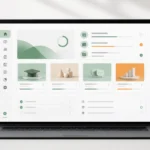
WordPress is a name frequently heard by website builders because of its flexible start-up options and numerous tools. However, before choosing it, you should consider how your team will manage content, the systems that need to be integrated, and your website's growth plan.
WordPress is ideal for businesses that need to manage web pages, articles, and landing pages themselves on a periodic basis, with a development team providing structure, security, and ongoing maintenance tailored to the size of the project.
What type of business is suitable for WordPress?
Company websites, service businesses, content marketing websites, multilingual websites, and some types of online stores all benefit from WordPress when its structure and plugins are chosen with discipline.
Start with measurable goals.
Choose a platform based on repetitive, long-term tasks, not simply because it offers a large number of themes or plugins. Flexibility is only valuable if your team can actually provide support.
Items to prepare before starting the project.
- Who will update the content?
- Which systems need to be connected?
- Which feature is the core of the website?
- Post-launch maintenance and update budget.
The advantages that businesses gain from a self-managed CMS.
The team can add articles, adjust service content, create campaign pages, and set up basic SEO without needing developers to edit every single sentence, helping to speed up the marketing process.
Design pathways to make decision-making easier for people.
If customers come from an article or campaign, the content should naturally lead them to the service and contact information. WordPress can help a lot when the content structure is well-defined beforehand. WordPress website development service.
Limitations you should know before you start.
Too many plugins, unsuitable themes, and a lack of system updates can slow down and compromise a website. Therefore, it's necessary to define a website owner, a backup plan, and guidelines for post-launch maintenance.
Connect related tasks to create a systematic approach.
The installation should separate essential functionality from occasionally used plugins to keep future updates, testing, and bug fixes less complex. Why post-launch WordPress maintenance is important.
Small details that are often overlooked.
Don't grant top-level administrator privileges to everyone on the team. Separate roles for writers, editors, and system administrators to prevent errors.
Frequently Asked Questions
Can WordPress be used for e-commerce?
Yes, by choosing structures and tools that are suitable for the products, payment methods, inventory, and how the team actually needs to work.
Do I need to know how to code to use WordPress?
It's not necessary to update core content, but there should be a team dedicated to handling infrastructure, security, and specific feature adjustments.
Set up a website to work with your real business.
If you're evaluating WordPress for a new website, the Creative Plus One team can help you choose the structure and scope that best suits your business needs.